


Rescript vs Kapwing
Rescript vs Kapwing
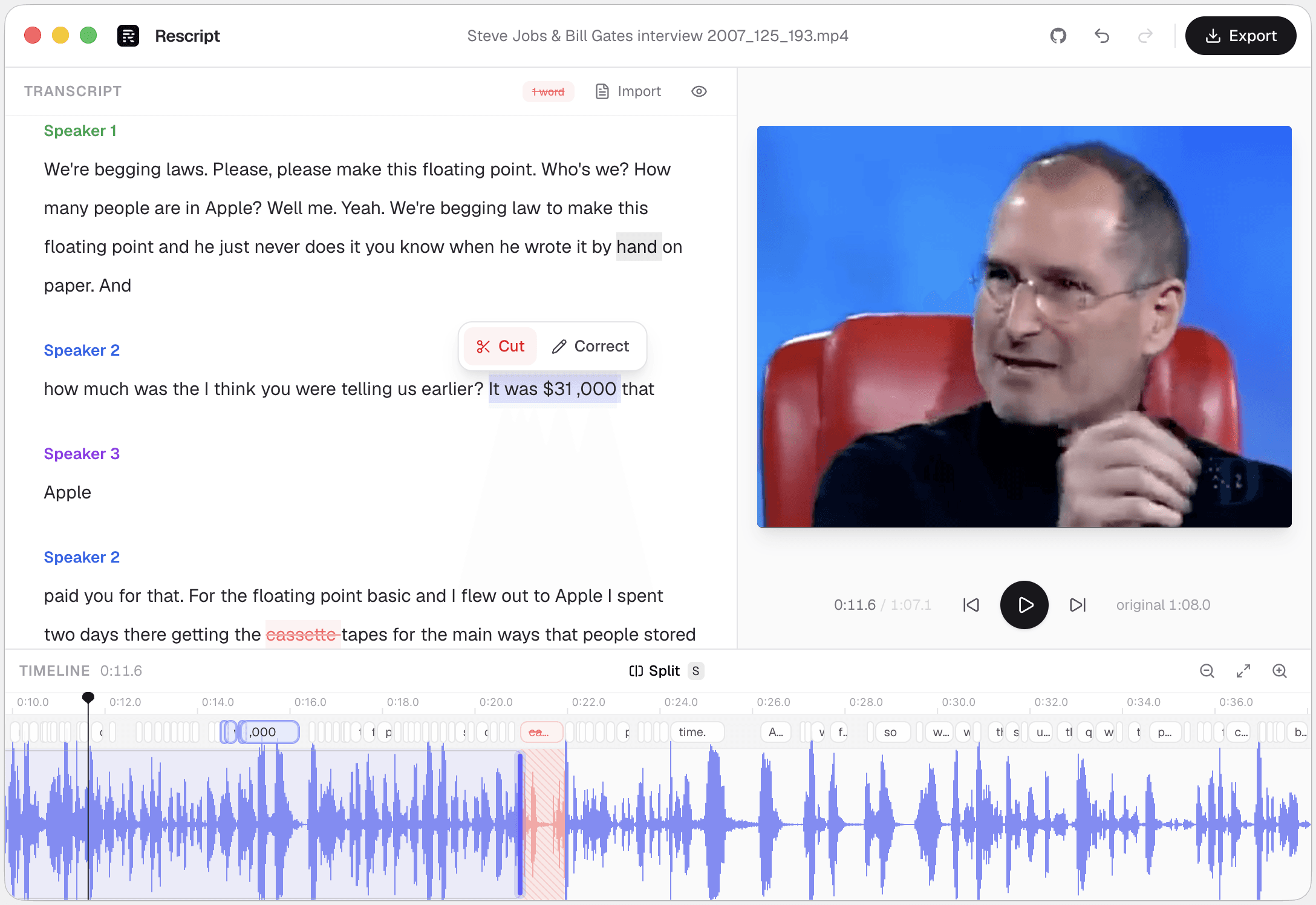
Kapwing is a collaborative online editor: your media lives in a shared cloud workspace, with text-based trimming, subtitles, templates, social resizing, and team commenting, on a subscription whose free tier watermarks exports. Rescript is a single-user, single-clip editor that runs locally — free, open source, no account, no upload, no watermark. Pick Kapwing when the work is collaborative and template-driven. Pick Rescript when you want to cut a recording by editing its transcript and would rather it never left your laptop.
Side by side
Rescript compared with Kapwing.
| Feature | Rescript | Kapwing |
|---|---|---|
| Price | Free and open source for noncommercial use | Subscription; free tier is limited |
| Watermark | Never | On the free tier |
| Where your media goes | Nowhere. It never leaves your device | Media lives in a cloud workspace |
| Account required | None — open it and start editing | Required |
| Usage limits | No minute caps, no export quota | Export length, resolution, and AI credits by plan |
| Works offline | Yes, once the model has downloaded a first time | Cloud service |
| Source code | Public on GitHub — auditable | Proprietary |
| Delete words to cut footage | Word-level, with a live preview of the cut | Yes, text-based trimming |
| Filler word removal | One click across the whole file | Yes |
| Silence removal | One click, pauses of 0.3s and over | Yes |
| Rewrite a line and have it spoken | Yes — cloned from that speaker's own audio, on-device | AI voiceover and dubbing, not a clone of the speaker in the file |
| Team collaboration | No — projects are local to your machine | Shared workspaces, comments, real-time editing |
| Multitrack, layers, effects | No — one clip, transcript-first | Layers, overlays, templates, auto-resize |
| Burned-in captions | Exports SRT/VTT to burn in elsewhere; no styled overlay yet | Styled, animated, burned-in subtitles |
 Rescript
 Kapwing
Details about other products come from their own public pricing and documentation pages and change often — check theirs before you decide. Corrections are welcome as a GitHub issue.
Collaboration is the trade
Everything Kapwing does well downstream of the cloud — shared workspaces, live commenting, a link you can send a client — depends on your media being on their servers. Rescript gives that up on purpose: projects auto-save to your own machine, and there's no sharing and no seat.
In exchange there's nothing to meter. No upload, no render queue, no watermark, no export cap.
Transcript editing, compared
Both trim by deleting text. Rescript goes further into that specific workflow: word-level timestamps you can drag when alignment is off, cut edges you can nudge independently of the transcript, a split-at-playhead blade, and live playback that skips your cuts.
It also does something Kapwing doesn't — rewrite a sentence you fumbled and hear it back in that speaker's own cloned voice, generated on your machine and fitted to the gap it replaces.
Which one
They're good at different jobs.
Choose Kapwing if…
- Several people work on the same video and need a shared workspace.
- You repurpose one video into 16:9, 9:16, and 1:1 with templates.
- Animated, styled captions are the point of the edit.
- You want stock assets and b-roll in the same tool.
Choose Rescript if…
- You work alone and don't need a workspace.
- You want no watermark and no export ceiling, for free.
- The recording is private and shouldn't be uploaded.
- The edit is "remove the mistakes and the dead air," not "design a social post."
FAQ
Questions people actually ask
Does Rescript have a free tier, or is it free-with-limits?
There are no tiers. Everything the app does runs on your device and is free for noncommercial use, with no caps on file length, export resolution, or number of projects. Commercial use requires a paid license.
Can I share a Rescript project with a teammate?
Not directly — projects are stored locally. You can share the exported video, audio, transcript, or the JSON caption file, which someone else can re-import alongside the media.
Keep comparing

Rescript vs Descript
The original transcript-based editor — and a full cloud studio.

Rescript vs Riverside
Remote recording studio with a text-based editor attached.

Rescript vs VEED
Browser video editor with subtitles and AI tools.

Rescript vs Premiere Pro
Adobe's NLE, with Text-Based Editing built in.

Rescript vs CapCut
ByteDance's free general-purpose editor.

Rescript vs Podcastle
Cloud podcast studio with AI voices and Magic Dust.

Rescript vs Recut
One-time-purchase desktop app for cutting silences.

Rescript vs TimeBolt
Automatic cutting of silence and filler words.

Rescript vs Cleanvoice
AI post-processing service for podcast audio.
Try it before you renew Kapwing.
Free, open source, and running on your own machine in under a minute. No account, and nothing to cancel later.
Or open the web app